Patternshop
Patternshop: layered drawing (compositing) for Decker
Also, see https://woodring.itch.io/patternshop-neo for a simplified version or https://missooni.itch.io/patternshop-cinnamon that inspired me to make Neo
what is decker? see here: https://internet-janitor.itch.io/decker/community and here: http://beyondloom.com/decker
for my other decker things see: https://codeberg.org/woodring/
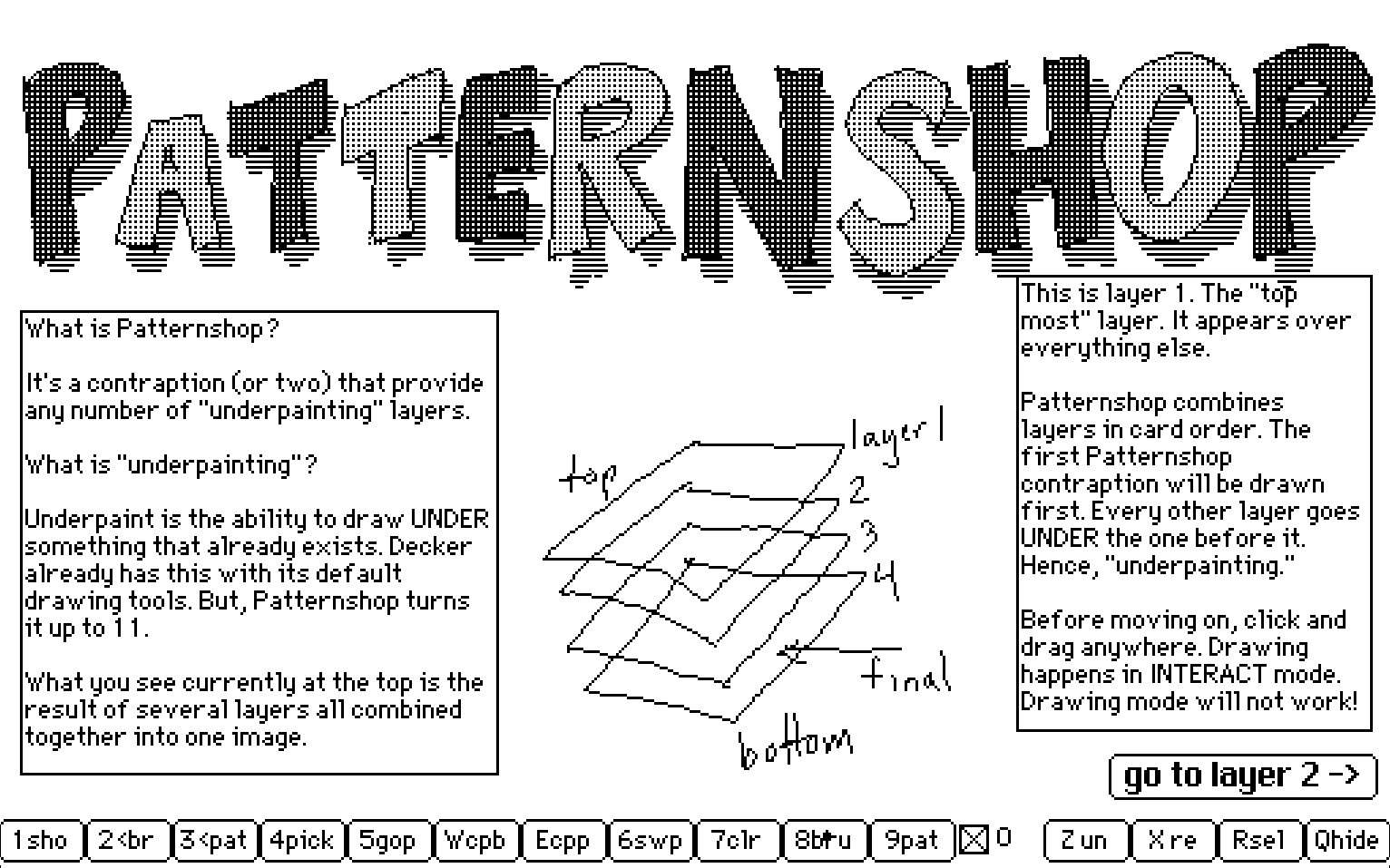
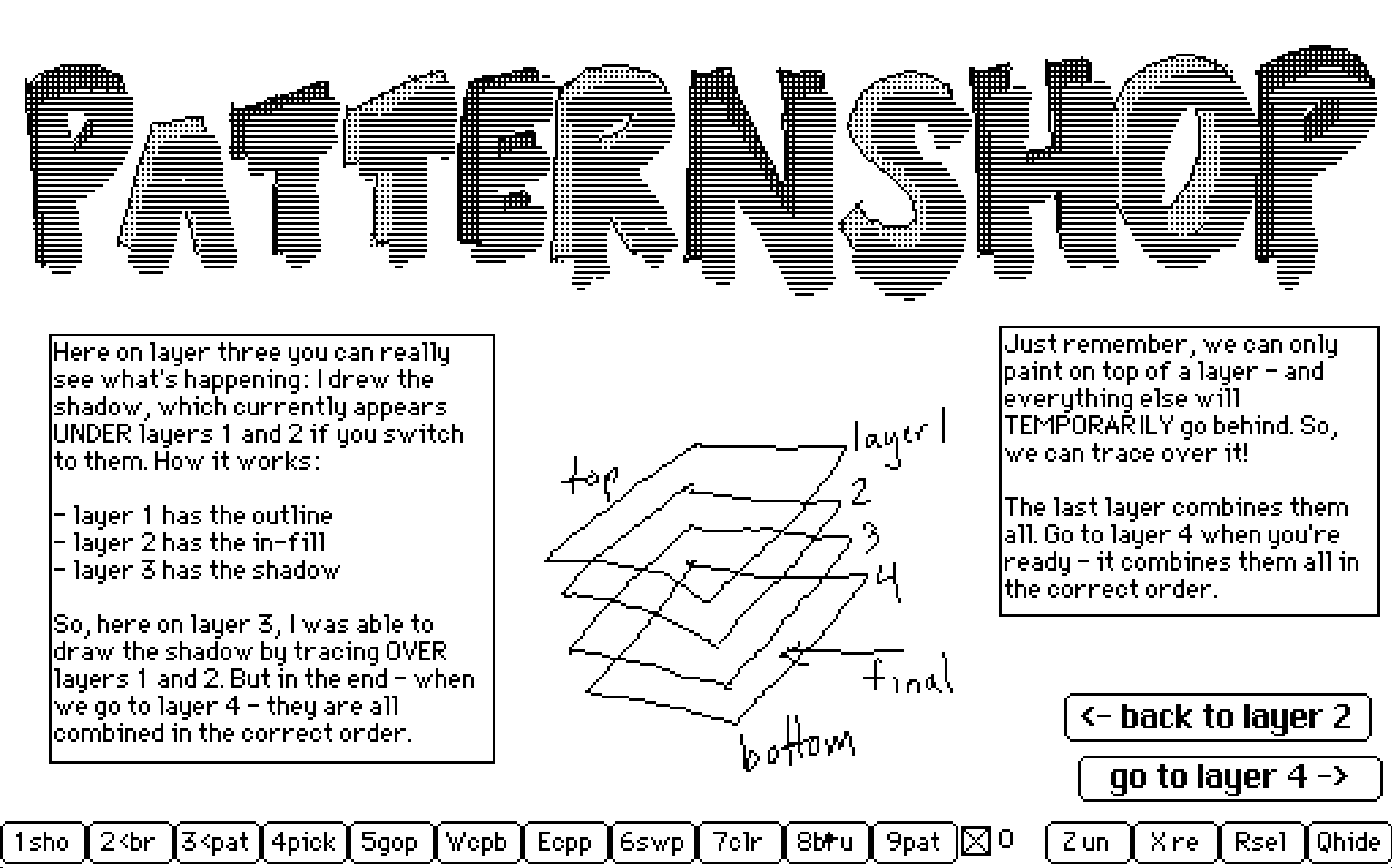
It's a module and several contraptions that emulate layered drawing in other drawing tools. Or, it can be thought of as "Decker mega-underpaint mode."
Also see Patternshop Neo html, a simplified widget, inspired by Missooni's work. To try it, it needs to be downloaded from the download files, and you'll have to manually open it in your browser from the downloaded HTML. It is also available from codeberg.
reload if video is not playing:

-
make at least three cards
-
put the
patternshopcontraption on each of those cards. -
switch to interactive mode.
-
press
0(zero) on each of the cards to activate the contraption. -
draw on the first card in interactive mode.
-
switch to the second card. what was drawn on the first card appears there.
-
draw on the second card.
-
switch to the third card. what was drawn on the second will be under the first.
-
et voila, layered drawing!
Why is this important? Imagine:
-
card1 has a rough sketch.
-
card2 shows card1, to trace over card1's sketch.
-
card1 is deactivated, automatically removing the sketch, without having to manually erase it from card2.
-
card3 shows the outline of card2, to add shading without worrying about staying exactly in the lines.
For a more detailed README, see: https://codeberg.org/woodring/decker.patternshop
Download
Comments
Log in with itch.io to leave a comment.
Please see
https://woodring.itch.io/patternshop-neo
or
https://missooni.itch.io/patternshop-cinnamon
for a simpler, more Decker-like, drawing with layers
Hiya! I've been keeping up with this project since you released the original contraptions to the Bazaar, and I was so excited for layered drawing in Decker that I started to write my own wrapper to view and edit layers using the older patternshop module. That was a while ago, but I finished working on it today!
Thank you again for making Patternshop and the work you put into documenting it, It's made drawing in Decker much more fun for me. ^^ (On a side note - please let me know if you would prefer if I called it something else!)
Sorry for the late response.
It’s cool. I haven’t looked at it yet, but feel free to use it in any way you see fit. I don’t mind at all, naming or otherwise.
Very neat
I've been playing with this a little and I think I still haven't got the hang of it, but it's really interesting!
Cool. If you have any suggestions on how to improve it, I’m all ears.
For instance, I had it set up to work with my tablet, but I set the keys to match what I defined. There’s probably a more logical setting for Photoshop/Krita, but I don’t use them enough to know what they are off the top of my head.
Updated 20260820
Updated 20260708
Updated 20260701
Updated 20260630
Updated 20260627
Updated 20260429
Updated 20260430
Updated 20260501